AI Chatbot for Support: Your 2026 Practical Guide

An AI chatbot for support is software that uses artificial intelligence to converse with customers, answer questions, and resolve routine issues without requiring a person for every exchange. These tools commonly use natural language processing and machine learning to interpret a question and respond in plain language.
For small and mid-sized support teams, the appeal is straightforward. People can focus on cases that require judgment or empathy while the chatbot handles suitable questions at any time.
Depending on the product and its integrations, a well-designed customer support chatbot can:
- Answer frequently asked questions at any time
- Hand unresolved questions to the support team with useful context
- Work through a website chat interface or other supported channels
- Use a controlled knowledge source instead of searching the open internet
- Save conversations for review
- Respond in supported languages, subject to testing for quality
The difference between a chatbot that helps and one that frustrates customers often comes down to the quality of its knowledge and the design of its handoff process. This guide focuses on both.
Table of Contents
- What benefits do AI chatbots bring to support teams?
- What technologies power modern AI support chatbots?
- Where do AI support chatbots deliver the most value?
- How do you implement an AI chatbot in customer support effectively?
- How do you choose the right AI chatbot for your business?
- Why training data quality determines your chatbot’s success
- What data privacy and compliance issues should you consider?
- What are the real limitations of AI chatbots in support?
- What does the future of AI support chatbots look like?
- Deskhero gives your support team an AI advantage from day one
- FAQ
- Key Takeaways
What benefits do AI chatbots bring to support teams?
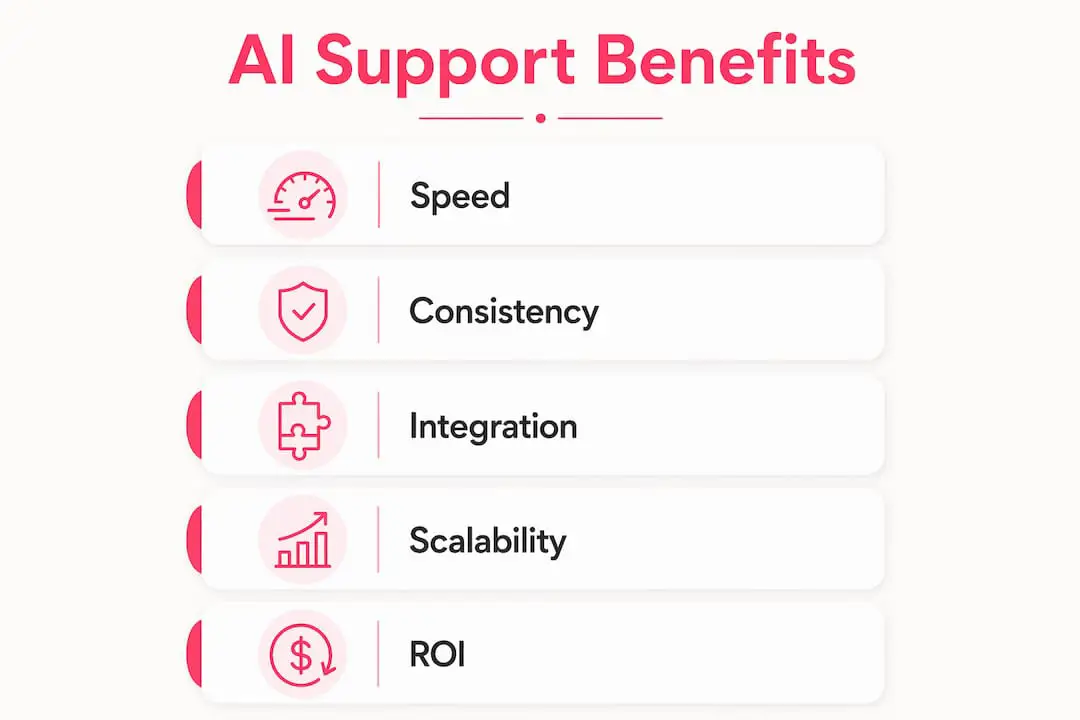
The most immediate benefit is speed. A chatbot can answer common questions immediately, reducing the time customers spend waiting for basic information. More complicated questions can still be sent to a person.
Chatbots can also handle concurrent conversations without a one-to-one staffing model. That lets the support team spend more time on issues involving judgment, empathy, or account-specific work.
Common benefits include:
- 24/7 availability for questions the chatbot is equipped to answer
- Consistent answers when every response is grounded in the same approved source
- Lower repetitive workload for the support team
- Faster drafting when a helpdesk also suggests replies for Users to review
- Scalability during peaks such as launches or holiday seasons
- Measurable performance through resolution, handoff, and feedback metrics
Consistency is especially valuable when a wrong answer carries operational or regulatory risk. It does not happen automatically, however. The source material must be accurate, current, and governed by a clear review process.
What technologies power modern AI support chatbots?
Modern AI customer support chatbots combine several technologies, each handling a different part of the conversation.
Natural language processing (NLP) helps a chatbot interpret what a customer means. Someone writing “my order never showed up” and someone writing “where is my package” may be expressing the same intent.
Natural language understanding (NLU) can identify intent and extract details such as order numbers, dates, or product names. Machine learning (ML) can help classify requests and retrieve relevant information, but reliable improvement still requires reviewed content and evaluation.

Large language models (LLMs) give many modern chatbots their conversational fluency. They can maintain context within a conversation and produce natural responses, but they also make grounding and uncertainty handling essential.
Capabilities worth evaluating include:
- Context retention across the conversation
- Personalized responses when approved customer data is available through an integration
- Attachment reading for screenshots or documents, if the product supports it
- Helpdesk and commerce integrations for relevant account or order data
- Handoff with context so the customer does not have to repeat the problem
Integration depth matters. A chatbot limited to static FAQ content serves a different purpose from a system that can retrieve authorized account data or take actions. Confirm exactly what each product can read and change.
Where do AI support chatbots deliver the most value?
The clearest use cases are often high-volume, low-complexity questions. These are repetitive for the support team but important to customers.
E-commerce, SaaS, healthcare, finance, and utilities all receive recurring questions, although the privacy, safety, and escalation requirements differ considerably.
Common use cases include:
- FAQ answers: return policies, shipping times, pricing, and account terms
- Order tracking: status information when a suitable commerce integration is available
- Appointment help: booking or changes when the chatbot is connected to an approved scheduling system
- Technical troubleshooting: reviewed steps for common errors or setup questions
- Account guidance: instructions for password, subscription, or billing tasks
- Post-purchase support: warranty, registration, and return-policy questions
Deskhero’s Shopify integration is read-only. It places customer and order details beside the ticket, and suggested reply drafts can use Shopify orders, products, and inventory. A User still reviews and sends the reply.
A useful chatbot is not merely an FAQ search box. It should answer within its defined scope, acknowledge uncertainty, and provide a clear route to the support team.
How do you implement an AI chatbot in customer support effectively?
A sound rollout starts before the chatbot goes live. Three decisions deserve particular attention.

Start with the knowledge source. Audit your support content. Identify what is accurate, outdated, duplicated, or missing. A chatbot grounded in stale information can deliver a polished but wrong answer.
Define handoff paths. Decide which questions the chatbot may answer and which should go to a person. Refund-policy questions may fit an approved FAQ, while disputes, safety concerns, or unusual account problems often require human judgment.
Integrate only what is needed. Give the system access to the minimum data and tools required for the use case. Test permissions, error handling, and what happens when an integration is unavailable.
Pro Tip: Use real customer phrasing when writing and reviewing FAQ entries. Resolved tickets can reveal how customers describe a problem, but the resulting answer should still be checked before publication.
Measure performance from launch. Track answer rate, handoff rate, unresolved questions, repeated contact, and direct visitor feedback. Review failures regularly and update the approved content. For Deskhero specifically, enabling the AI chat-bot requires at least 100 approved public FAQ items.
How do you choose the right AI chatbot for your business?
The market is crowded, so compare products against your actual support workflow instead of relying on a long feature checklist.
Evaluation criteria worth prioritizing:
- Ease of deployment: can your team configure, test, and maintain it with the skills available?
- Knowledge source control: can you restrict customer-facing answers to content your team has approved?
- Handoff behavior: what happens when the chatbot is uncertain, and what context reaches the support team?
- Language support: test your important language pairs with real questions instead of trusting a feature list
- Integration depth: determine which systems are supported and whether access is read-only or read-write
- Analytics: look for answer, handoff, failure, and feedback data that helps improve the service
- Security and data handling: understand storage, retention, access, subprocessors, and model-training policies
- Trial availability: test with representative questions before committing
Transparency about uncertainty is a strong selection criterion. A chatbot that admits it does not have an approved answer and offers a handoff is safer than one that produces a confident guess.
Why training data quality determines your chatbot’s success
Knowledge quality is one of the main constraints on chatbot performance. Retrieval-augmented chatbots can search selected knowledge bases and documents, but retrieval does not make incorrect or outdated source material reliable.
This principle shapes Deskhero’s customer-facing AI features.
The Deskhero AI chat-bot and AI auto-replies answer only from the approved public FAQ. When the chat-bot cannot find a confident answer, it opens a pre-filled contact form instead of guessing. The full chat transcript is saved as a ticket. Deskhero documents this FAQ-only design on its chat-bot feature page.
Deskhero also connects Gmail and Microsoft 365 mailboxes to a shared helpdesk without changing the company’s email address. Email, embedded forms, and the AI chat-bot create tickets in the same workspace. Suggested reply drafts are different from customer-facing answers: they can use broader workspace knowledge, including answered tickets, internal knowledge, approved FAQ content, scraped website pages, and supported Shopify data.
Relevant Deskhero capabilities include:
- AI reply drafting for Users to review, edit, and send
- Attachment-aware drafts that can use supported screenshots, PDF files, and Word documents
- FAQ suggestions from resolved tickets and scraped pages, with approval required before publication
- Fourteen interface languages plus ticket translation and multilingual conversations
- Shopify integration with customer and order information inside the ticket
- Google and Microsoft SSO, a REST API, and rules for new-ticket routing and updates
Automatic customer-facing answers are opt-in. Deskhero labels and logs them, while uncertain chat questions are handed to the team through the ticket workflow.
What data privacy and compliance issues should you consider?
Customer support conversations can contain names, email addresses, order histories, account details, and other sensitive information. Before deploying a chatbot, document how that data will be handled.
Data residency and subprocessors. Ask where conversation data is stored and processed, which subprocessors receive it, and whether those arrangements meet your contractual and legal requirements.
Data retention. Determine how long conversation logs are kept, which deletion controls exist, and how data-subject requests are handled.
Model training. Confirm whether customer conversations are used to train shared models, what opt-out controls exist, and how vendors separate customer data.
Access controls. Review roles, permissions, authentication, audit records, and offboarding procedures for anyone who can see support data.
Assurance and regulated data. Independent audit reports can be useful evidence, but they do not replace a review of scope, contracts, and actual controls. If support conversations may include regulated data, obtain legal and security advice before deployment.
The practical takeaway is simple: read the data processing agreement and security documentation, then test the product’s controls. A feature list does not establish compliance.
What are the real limitations of AI chatbots in support?
Chatbots can be useful without being suitable for every conversation. Designing around their limits is part of a responsible rollout.
Emotional complexity. An angry or distressed customer may need empathy and judgment from a person. Make handoff easy and visible.
Novel or ambiguous questions. A request that does not match the approved knowledge can produce an incomplete or incorrect answer unless the chatbot is designed to recognize uncertainty.
Knowledge gaps. Missing or conflicting documentation leads to missing or conflicting answers. Knowledge maintenance is an ongoing responsibility.
Integration failures. Systems that depend on CRM, commerce, or account data need a safe fallback when those integrations are unavailable.
Language and dialect nuance. Quality can vary across languages and domains. Test the language pairs and terminology your customers actually use.
The strongest deployments treat these limitations as design constraints. The chatbot handles the questions it can answer safely, and the support team handles the rest.
What does the future of AI support chatbots look like?
The direction of travel is toward systems that can do more than retrieve information. Gartner predicted in March 2025 that action-taking AI would autonomously resolve 80% of common customer service issues by 2029. This is a forecast, not a measurement of current adoption.
Action-taking AI can use connected tools to perform tasks such as updating an account, processing an authorized refund, or filing a ticket. These capabilities require explicit permissions, validation, audit records, and recovery paths.
Proactive support may use signals such as a failed payment or delayed shipment to offer help before the customer asks. Organizations should define when this is useful and when it becomes intrusive.
Deeper personalization may come from tighter integrations and longer-lived context, but it also increases the importance of consent, data minimization, and access control.
For small and mid-sized teams, today’s practical foundation is less dramatic: maintain approved knowledge, create a clear handoff, connect only the systems needed, and review outcomes. Those practices will remain useful as products gain more ability to act.
The central principle is stable. A capable model still needs accurate knowledge, bounded permissions, and a process for human review.
Deskhero gives your support team an AI advantage from day one
Deskhero combines mailbox-based ticketing, AI reply drafts, an approved public FAQ, and opt-in customer-facing automation in one workspace.
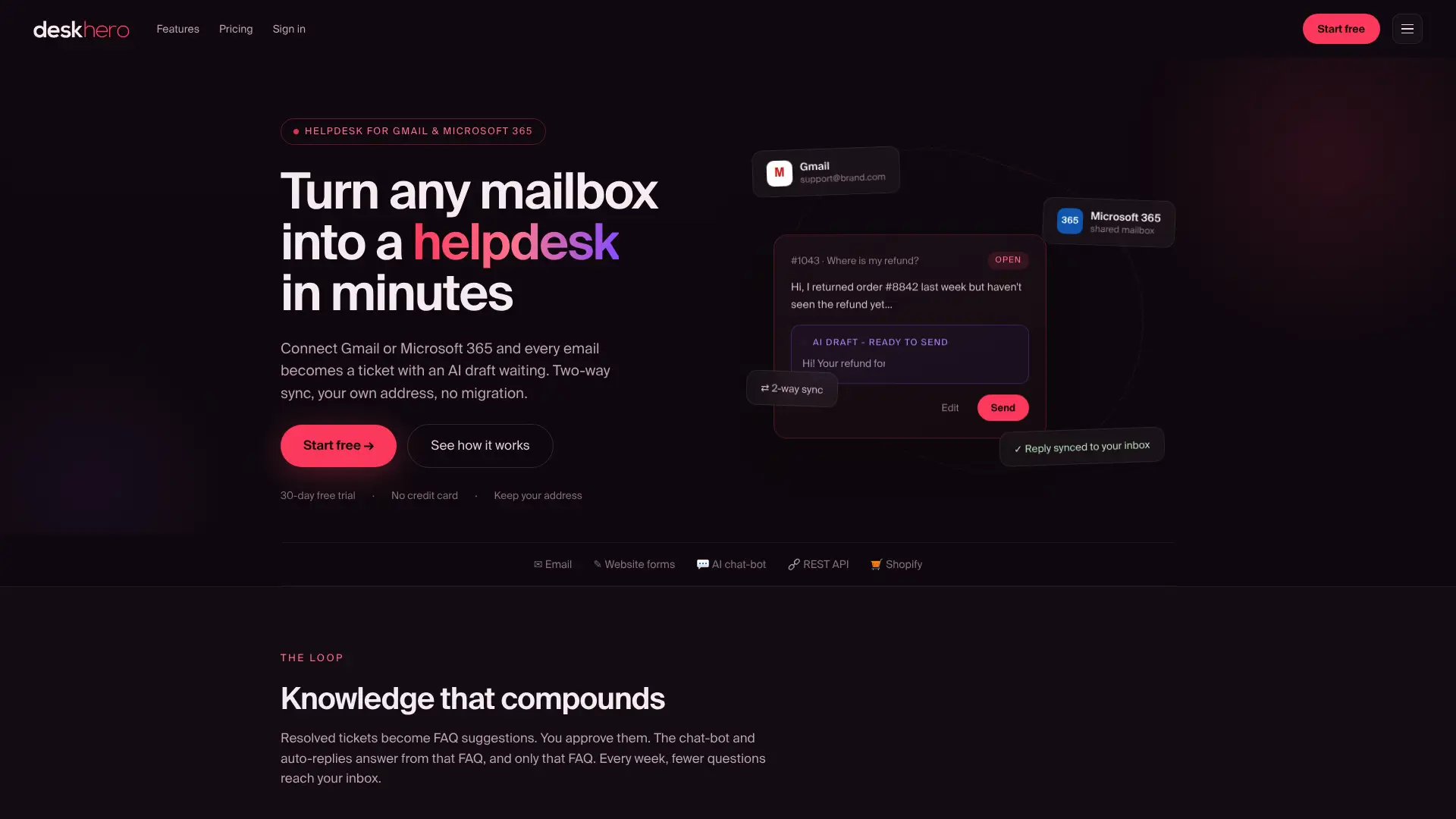
You can connect Gmail or Microsoft 365 with two-way sync, keep your existing address, and manage email, form, and chat-bot tickets in a shared inbox. Suggested drafts use workspace knowledge and remain under User control. The chat-bot and AI auto-replies use only the approved public FAQ. For Shopify stores, Deskhero shows read-only customer and order details inside the ticket and can use supported Shopify data in reply drafts.
Deskhero offers a 30-day free trial with no credit card required. Review Deskhero’s features and start the trial from the product site.
FAQ
What is an AI chatbot for customer support?
An AI chatbot for support is software that uses natural language processing and related AI techniques to converse with customers, answer suitable questions, and hand unresolved issues to a person.
What companies use AI chatbots for customer service?
Organizations in e-commerce, SaaS, healthcare, finance, utilities, and many other sectors use support chatbots. The best fit is usually a workflow with recurring questions, reliable source content, and a clear path for exceptions.
Is there a free AI support chatbot available?
Some products offer free tiers, while others offer trials. Deskhero offers a 30-day free trial with no credit card required.
How do I get an AI chatbot to give accurate answers?
Use accurate, current, approved source material. Test representative questions, design the chatbot to admit uncertainty, review failed conversations, and keep a human handoff available. Deskhero’s chat-bot answers only from the approved public FAQ.
What KPIs should I track for my AI support chatbot?
Track answer rate, successful self-service, handoff rate, repeated contact, unanswered topics, response time, and direct visitor feedback. Interpret these together, since a high automation rate can still hide poor answers.
Key Takeaways
An AI chatbot for support works best when it uses accurate, governed knowledge and hands uncertain or sensitive questions to people with the conversation context intact.
| Point | Details |
|---|---|
| Knowledge quality matters | Approved, current source material gives the chatbot a safer basis for answers. |
| Handoff paths are essential | Define which questions the chatbot may answer and how unresolved conversations reach the support team. |
| Action-taking AI is developing | Systems that update accounts or process transactions need bounded permissions, validation, and audit records. |
| Privacy requires upfront attention | Review data location, retention, access, subprocessors, and model-training policies before deployment. |
| Deskhero separates drafts from automatic answers | Suggested reply drafts can use broad workspace knowledge, while the chat-bot and AI auto-replies use only the approved public FAQ. |